Are you considering purchasing a MacBook but not sure where to begin when it comes to checking the specifications online? In this guide, we will walk you through the steps to ensure you have all the information you need before making a decision.
Why Check MacBook Specifications Online?
Before investing in a MacBook, it’s essential to understand the specifications of the device to ensure it meets your needs and expectations. By checking the specifications online, you can compare different models, features, and prices to make an informed decision.
Where to Find MacBook Specifications Online?
When it comes to checking MacBook specifications online, there are several reliable sources to turn to. One of the most trusted sources is the official Apple website, where you can find detailed information about each MacBook model, including processor speed, storage capacity, display resolution, and more.
Additionally, tech review websites like CNET, TechRadar, and MacWorld provide in-depth reviews and comparisons of various MacBook models, making it easier for you to narrow down your choices based on your specific requirements.
Steps to Check MacBook Specifications Online
- Go to the Apple website: Start by visiting the official Apple website and navigate to the MacBook section.
- Select the model: Choose the MacBook model you are interested in purchasing. You can filter the options based on screen size, processor, memory, and storage capacity.
- Review the specifications: Once you have selected a specific model, you can view the detailed specifications, including processor type, speed, storage capacity, display resolution, and battery life.
- Compare models: If you are considering multiple MacBook models, use the comparison feature on the Apple website to view side-by-side specifications to help you make a decision.
Also read on The best place to buy iPhone 17 Pro Max
Common MacBook Specifications to Consider
Before checking MacBook specifications online, there are a few key factors to pay attention to:
- Processor: The processor is the brain of the computer and determines how fast it can perform tasks.
- Memory: RAM is essential for multitasking and running multiple applications simultaneously.
- Storage: SSD storage provides faster access to data and improves overall performance.
- Display: Consider the screen size, resolution, and color accuracy for an optimal viewing experience.
- Battery Life: A longer battery life ensures you can use your MacBook on the go without needing to constantly recharge.
By taking these specifications into account, you can choose a MacBook model that best suits your needs and budget.
MacBook Air vs MacBook Pro

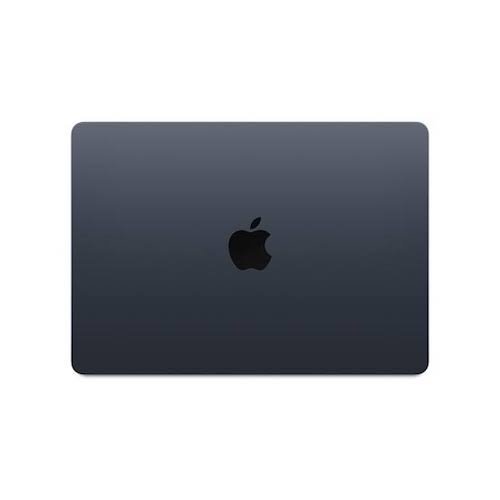
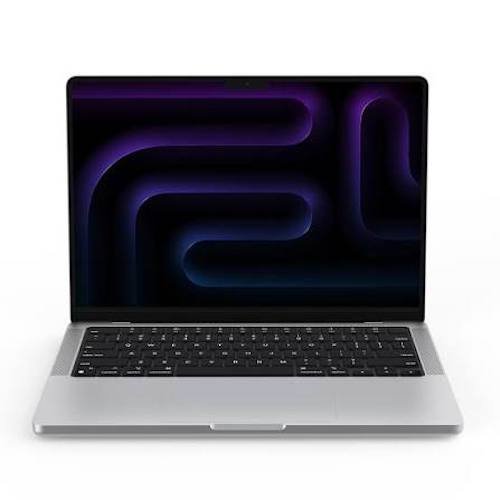
When it comes to choosing between the MacBook Air and MacBook Pro, it ultimately depends on what you value most in a laptop. The MacBook Air is known for its ultra-portability and slim design, making it the perfect choice for users who are always on the go. On the other hand, the MacBook Pro is favored for its powerful performance and high-resolution display, making it ideal for users who need a laptop that can handle intensive tasks.
Performance (MacBook Air vs MacBook Pro)
The MacBook Pro takes the lead with overall performance. With its faster processor and larger memory capacity, the MacBook Pro is designed to handle demanding tasks such as graphic design, video editing, and gaming with ease. On the other hand, the MacBook Air is more suited for everyday tasks such as web browsing, word processing, and light photo editing.
Design (MacBook Air vs MacBook Pro)
In terms of design, the MacBook Air is known for its lightweight and ultra-thin design, making it the perfect choice for users who prioritize portability. The MacBook Pro, on the other hand, is slightly heavier but boasts a more premium feel with its metal casing and larger display.
Display (MacBook Air vs MacBook Pro)
The MacBook Pro comes out on top when it comes to display quality. With its Retina display and higher resolution, the MacBook Pro offers sharper images and more vibrant colors compared to the MacBook Air. This makes the MacBook Pro the preferred choice for users who work with multimedia or graphic design.
Battery Life (MacBook Air vs MacBook Pro)
One advantage of the MacBook Air is its impressive battery life. The MacBook Air can last up to 12 hours on a single charge, making it ideal for users who need a laptop that can keep up with them throughout the day. The MacBook Pro, while still offering decent battery life, falls slightly behind in this aspect.
Price (MacBook Air vs MacBook Pro)
When it comes to price, the MacBook Air is the more budget-friendly option compared to the MacBook Pro. The MacBook Air is a great choice for users who want a reliable and high-performing laptop without breaking the bank. However, if you need the extra power and features that the MacBook Pro offers, be prepared to pay a premium for it.
Which One Should You Choose? (MacBook Air vs MacBook Pro)
Ultimately, the decision between the MacBook Air and MacBook Pro comes down to your specific needs and preferences. If you prioritize portability and everyday tasks, the MacBook Air is a great choice. However, if you need a laptop with powerful performance and a high-resolution display, the MacBook Pro is the way to go. Consider your budget, usage, and preferences to make the right choice for your needs.
What is the Best Apple Laptop Made?
When it comes to choosing a laptop, Apple is often at the top of the list for many consumers. Known for their sleek design, user-friendly interfaces, and top-notch performance, Apple laptops are a popular choice for both personal and professional use. But with so many options available, how do you know which one is the best for you? Let’s take a look at some of the best Apple laptops currently on the market.
MacBook Air (Apple MacBook)
The MacBook Air is a lightweight and portable laptop that is perfect for those on the go. With a stunning Retina display, long battery life, and powerful performance, the MacBook Air is a great choice for everyday use. Whether you’re a student, a freelancer, or a professional, the MacBook Air has the power and versatility to meet your needs.
MacBook Pro (Apple MacBook)
The MacBook Pro is a powerhouse laptop that is ideal for creative professionals, such as graphic designers, photographers, and video editors. With a brilliant display, fast processor, and ample storage space, the MacBook Pro is built to handle even the most demanding tasks. Whether you’re editing high-resolution photos or working on a 3D rendering, the MacBook Pro will not disappoint.
MacBook
The MacBook is a stylish and compact laptop that is perfect for those who value portability and design. With a slim profile, bright display, and impressive battery life, the MacBook is a great choice for students and professionals alike. Whether you’re taking notes in class, working on a presentation, or browsing the web, the MacBook is a reliable and versatile option.
Conclusion: Choosing the Best Apple Laptop
In conclusion, checking MacBook specifications online before making a purchase is crucial to ensure you get the right macbook for your needs. By following the steps outlined in this guide and considering key specifications, you can make an informed decision and enjoy your new MacBook to its fullest potential.
So, are you ready to check the MacBook specifications online and find the perfect model for you? Remember, knowledge is power when it comes to making tech-savvy decisions!
In addition, the best Apple laptop for you will ultimately depend on your specific needs and preferences. Whether you prioritize portability, performance, or design, Apple has a laptop that is sure to meet your requirements. From the MacBook Air to the MacBook Pro, each Apple laptop offers something unique and valuable. So, take the time to consider what features are most important to you, and make your decision accordingly. Happy shopping!